

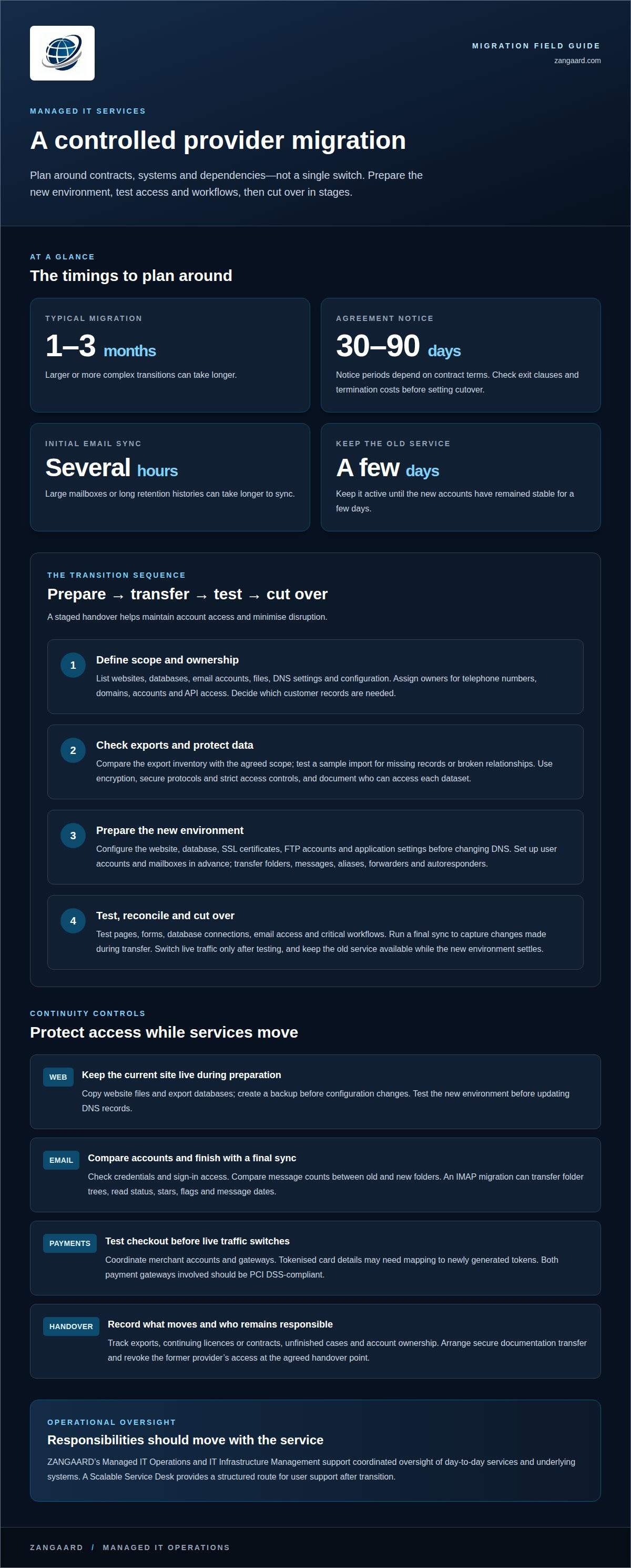
A managed services provider migration typically takes 1-3 months, with larger or more complex transitions taking longer. Migrating IT services to a new provider involves coordinating the handover of data, access, licences, contracts and operational responsibilities. A staged transition, tested before cutover, helps maintain account access and minimise disruption.
It’s understandable to focus on downtime: even a short interruption can affect staff and customers. The practical answer is to plan the transfer around your contracts, systems and dependencies, rather than treating it as a single switch. This guide explains what to prepare, how to coordinate the outgoing and incoming providers, and how to test access and service continuity before the new arrangement takes over.
Key Takeaways
- Map the data and dependencies that must move, then assess export completeness and protect customer information throughout the handover.
- Review notice periods and exit terms, and assign clear ownership for accounts, credentials, telephone numbers and domains.
- Test access and key workflows before cutover, with a clear plan for reconciling changes made during the transition.
- Keep the old service available until the new environment has been tested and is operating steadily.
What Does Migrating Services to Another Hosting Provider Involve?
Plan the transfer as a controlled sequence, not a single switch. Define the scope, check exports and set security controls to help move services with minimal disruption.
-
Define the migration scope
List the services and data to be transferred: websites, databases, email accounts, files, DNS settings and related configuration. Decide which customer records are necessary. Open tickets or active contracts may be enough if trend analysis and retention requirements do not call for more. When comparing IT service providers in Denmark, assess the transfer scope, security controls, responsibilities and clarity of the handover. This gives you practical criteria for choosing a provider without assuming the transition will be seamless.
-
Check exports and protect customer data
Request an export inventory that explains each file, required fields and statuses such as “open” or “approved”. Compare it with the agreed scope, then test a sample import for missing records and broken relationships. Transfer data using encryption, secure protocols and strict access controls. Limit credentials to authorised people and document who can access each dataset. If translation services are involved, include translation memories and glossaries, and preserve their ownership and confidentiality.
-
Address sensitive data requirements
Identify payment data before the transfer. Both payment gateways involved should be PCI DSS-compliant to support the safe migration of sensitive data; payment history may still need to be exported and stored separately. For Denmark, account for GDPR by mapping personal data, its intended use, access and retention in the transition plan. This gives teams a clear basis for controlled handling, rather than moving every record by default. Confirm that the destination configuration supports the agreed safeguards before production data becomes accessible.
How Do You Handle the Transfer of Licences and Contracts During Migration?
Create a written transition plan covering contract dates, system owners and the handover sequence. Costs depend on the scope, systems and transition work, so request a quote based on your requirements.
-
Review notice periods and timelines
Read the current agreement for notice periods, exit clauses and termination costs before setting a cutover date. IT support agreement notice periods can range from 30 to 90 days, depending on contract terms. A managed services provider migration typically takes 1-3 months, with larger, more complex transitions taking longer. Align milestones with both providers to avoid a gap between support arrangements.
-
Plan continuity and the transition
Assign owners for telephone numbers, domains, accounts and API access. List credentials, licences, workflows and platform connections, then document transfer formats and permissions. Website files can be copied while the old site remains live. Export databases and create a backup before changing the configuration. Map API dependencies and test critical workflows on the new platform. These controls reduce risks such as lost access, broken integrations and interrupted service.
-
Prepare the exit and handover checklist
Include original source files and versions, operating rules, interfaces, permissions and unfinished cases. Record what has been exported, which licences or contracts continue, and who owns each account. Coordinate the removal of the former provider’s software and equipment, the secure transfer of documentation, and the revocation of access at the agreed handover point. This checklist gives the organisation a clear record of responsibilities and outstanding tasks.
Avoiding downtime and maintaining account access
Keep the current environment running while the replacement is prepared. A controlled cutover helps protect access and limit disruption during the move.
- Prepare the new hosting account before changing DNS. Configure the website, database, SSL certificates, FTP accounts and application settings. Test pages, forms, database connections and email functions in the new environment first. If possible, lower DNS TTL values beforehand, then update records only after testing. This sequence helps keep the existing site available during the switch.
- Set up each user account and mailbox in advance. Transfer email folders, messages, aliases, forwarders and autoresponders, then compare message counts between folders in the old and new accounts. An initial email sync can take several hours, particularly for large mailboxes or long retention histories. Check credentials and sign-in access before making the new mail service primary.
- For an email move, use an IMAP migration where appropriate. It can transfer messages, folder trees, read status, stars, flags and message dates. Run a final sync to capture changes made during the transfer. Keep the old provider active until the new accounts have remained stable for a few days, then decommission it.
- If payments are involved, establish the new merchant account, integrate its gateway and set up the checkout. Coordinate the old and new providers, and plan how customer payment details will move. Tokenised card details may need mapping to newly generated tokens. Test the checkout before switching live traffic so customers can continue to complete transactions.
ZANGAARD: Managed IT Operations
ZANGAARD helps organisations maintain operational oversight as IT responsibilities move to a new provider. Its Managed IT Operations and IT Infrastructure Management support coordinated control of day-to-day services and underlying systems. A Scalable Service Desk can provide a structured route for user support after the transition.
Turn to ZANGAARD when your organisation needs ongoing operational management, infrastructure oversight or scalable support as responsibilities change. Its IT services can help connect those needs within a managed service approach, rather than leaving teams to coordinate each function in isolation.
Contact ZANGAARD to discuss your IT operations requirements.
Set the next transition in motion
Changing providers is also an opportunity to clarify ownership and align IT operations with how your organisation works. Before migrating IT services to a new provider, define what successful ongoing support should look like: who manages infrastructure, how staff get help, and how operational issues are reviewed. These decisions give the transition a purpose beyond the handover itself.
ZANGAARD’s Managed IT Operations, IT Infrastructure Management and Scalable Service Desk support organisations seeking structured oversight across systems and user support. The next step is to discuss your operational priorities and planned transition. That conversation can help clarify where external management fits and what your teams need to retain internally.
With responsibilities and the service model clearly defined, you can move forward with greater confidence and a stronger foundation for day-to-day IT.
Frequently Asked Questions
How can I avoid downtime or service interruptions during the switch?
Reduce the risk of interruption by agreeing a rollback trigger and identifying the authoritative system before cutover. If a critical workflow fails in the new environment, teams need to know whether to return users to the old system and how to reconcile records created since the switch. Test this recovery route in advance, not just the forward migration.
How do I ensure the new IT company understands my business and its needs?
Give the incoming team an operating brief covering business outcomes, user groups, key applications, dependencies and support priorities. Walk through a representative workflow, such as how an internal request becomes an approved task, and identify who makes each decision. Agree what successful support looks like and how operational issues should be escalated, so priorities are clear from the outset.
How do you verify nothing was lost after migrating?
Reconstruct representative workflows in a separate test environment without production write access. Include ordinary cases, missing information, prohibited actions and unavailable destinations. Compare results with the source records, checking relationships and the meaning of statuses before cutover. Use fictional or appropriately anonymised material in early tests instead of widely sharing complete customer conversations.
What are the steps for migrating IT services to a new provider?
Start by defining the services, records and responsibilities in scope. Agree the handover format and ownership, then export the required data and prepare the destination. Where systems run in parallel, use an initial bulk transfer followed by updates for changed records. Test workflows, cut over according to the plan, reconcile changes, then close remaining access responsibly.
How long does an IT services provider migration typically take?
For many businesses, switching IT service providers takes from a few weeks to a couple of months. The schedule depends on contract dates, system dependencies, data volume, testing and how quickly both teams complete handover tasks. A transition plan with assigned owners and milestones helps reveal delays early and gives teams a practical sequence to follow.

Disclaimer
The purpose of this article is to generate inspiration, reflection and to start a debate across markets, industries and organizations. We do not recommend any actions soly based on the article statements, claims or opinions, but recommend you to reach out directly to ZANGAARD for a qualified review, dialogue and/or consultation. Reach out at [email protected] or visit our website www.zangaard.com


